Whitebox Cardboard Enclosure
The Whitebox Cardboard Enclosure is a lightweight, portable case designed to protect your Whitebox hardware and make it easy to fly with. This simple yet effective enclosure can be assembled from readily available cardboard using our provided template.
Materials Needed
- Cardboard (thick cardboard or cardstock recommended, ~2-3mm thickness)
- Printer (to print the template)
- Scissors or craft knife
- Ruler or straight edge
- Glue or tape (optional, for reinforcement)
- Heavy Duty Suction Cup
- Thread or string (to attach the suction cup)
Assembly Instructions
Step 1: Print the Template
Download and print the Whitebox Cardboard Template.
For best results:
- Print at 100% scale (do not scale to fit)
- Use a standard letter or A4 size paper
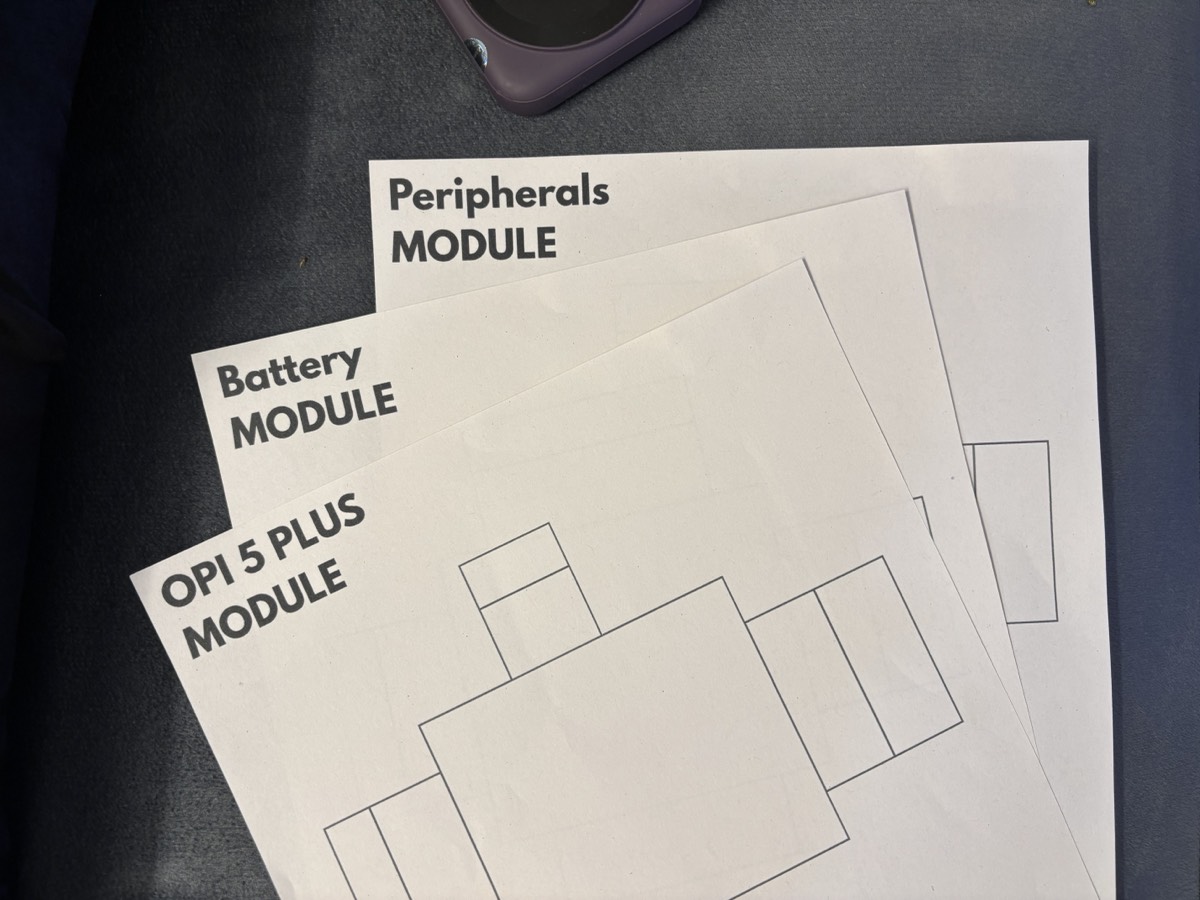
Printed templates ready for cutting
Step 2: Transfer to Cardboard
- Cut out the printed templates
- Trace the template outlines onto your cardboard
- Mark all fold lines clearly
Step 3: Cut Out the Pieces
Carefully cut along the solid lines using scissors or a craft knife:
- Use a ruler to ensure straight cuts
- Take your time around edge details

Cardboard pieces cut out and ready for assembly
Step 4: Score and Fold
- Using a ruler and the back of a knife (or similar tool), score along all fold lines
- This makes the cardboard easier to fold cleanly
- Fold all pieces along the scored lines
Step 5: Assemble the Enclosure
- Assemble each module of the enclosure individually
- Use glue or tape to secure tabs and edges
- Use glue or tape to then attach the modules together to form the complete enclosure
- Use a thread or string to securely attach the suction cup to the top of the enclosure for mounting
- Add hardware inside the enclosure and it should look like this:
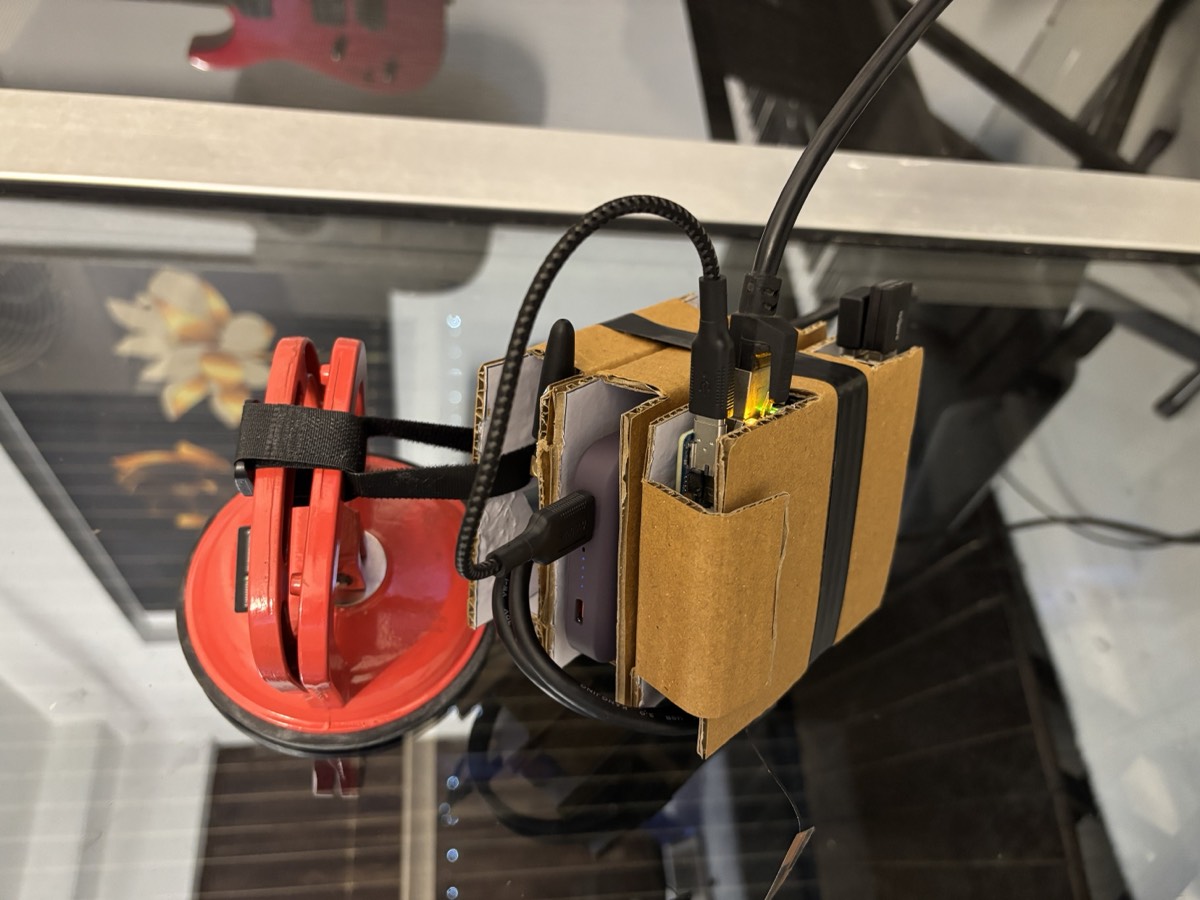
Fully assembled Whitebox Cardboard Enclosure with hardware inside
Downloads
- Whitebox Cardboard Template PDF - Print this template to create your own enclosure
Next Steps
Once you've assembled your cardboard enclosure and installed your Whitebox hardware:
- Review the Hardware Setup Guide to complete your Whitebox installation
- Check the Manual Installation Guide if you prefer manual setup
- Learn about Whitebox Architecture to understand how it works